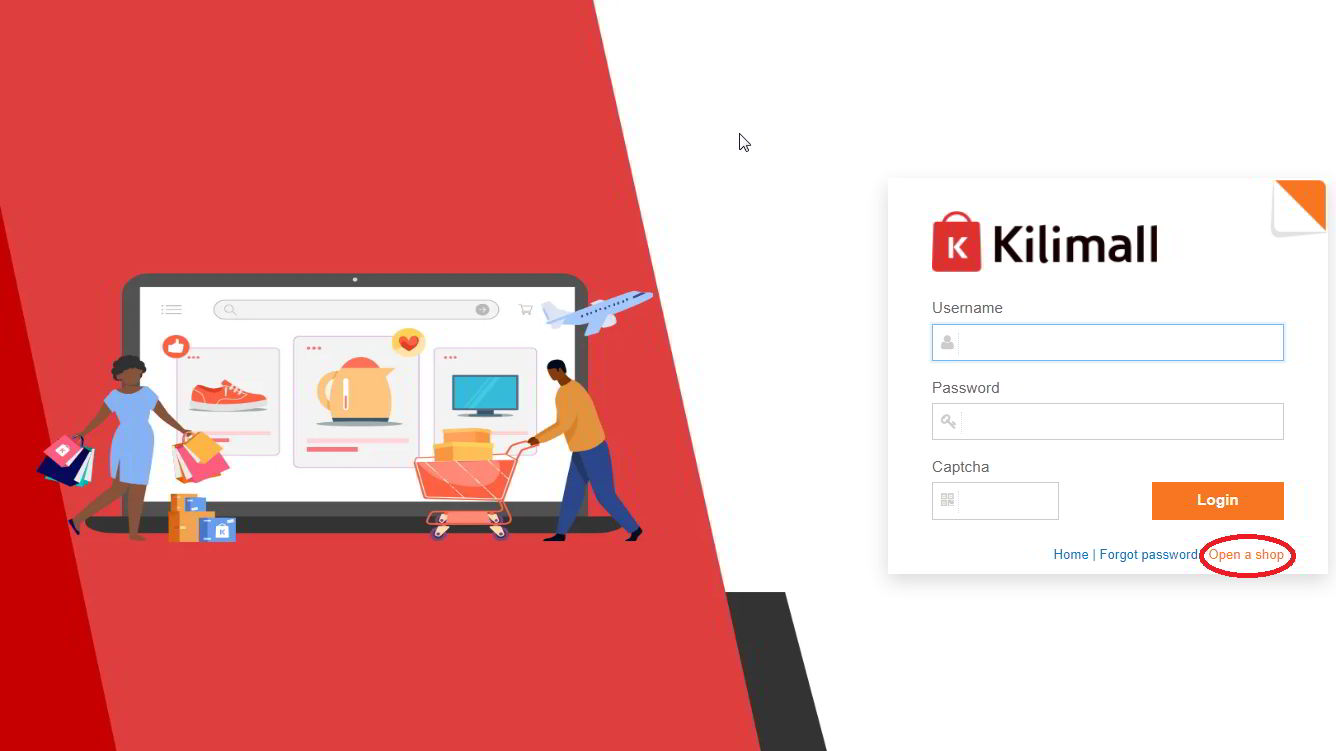
Are you looking to expand your business by selling online? Kilimall, a popular online marketplace in Kenya, offers a fantastic platform for sellers to reach a broad audience and boost sales. If you’re already familiar with Jumia, Kilimall could be the next big step in your online selling journey.
This guide will walk you through the entire process of registering as a seller on Kilimall, uploading your products, and making your first sale. Let’s dive into the process of how to sell on Kilimall Kenya.
Step 1: Register as a Seller on Kilimall
Before you can start selling on Kilimall, you must first complete the registration process on the Kilimall Seller Center. Here’s how to get started:
Basic Requirements for Registration:
- Age Requirement:
You must be at least 18 years old to sell on Kilimall. - Licensed Business:
You need to have a legally registered business, and the business category should match what is indicated in the license. - Legal Products Only:
You must only sell products that are legal in Kenya.
Information Required for Registration:
- Shop Information:
You will need to provide:- Shop name (e.g., GoGetterClothing)
- Contact person’s name, phone number, and email address.
- Company Information (if registering as a company):
- Company name (as per the registration certificate)
- Business license number (attach a clear image of your business license)
- Bank Information:
Kilimall requires your bank details for commission payments:- Account name, account number, bank name, bank branch name, and bank swift code.
- Shop Type:
Choose Local shop if you are selling from Kenya, or Global shop if you are selling from outside Kenya.
Step 2: Register on the Kilimall Seller Center
Follow these steps to register as a seller on Kilimall:
- Visit the Kilimall Seller Center Website:
Go to www.kilimall.co.ke and click on “Open a New Shop.” - Click “Join Kilimall”:
You will be redirected to a new page where you’ll select “Join Kilimall” under “I’m a Kenyan seller” or choose the other option if you are a non-Kenyan seller. - Fill in Your Business Information:
Enter your username, password, personal details (first name, last name), phone number, and email. Click on “Send SMS Verification Code” to verify your phone number and proceed. - Upload Business License (for companies):
If you’re registering as a company, upload a scanned image of your business license. - Bank Account Details:
Enter your bank details (Account Name, Account Number, Bank Name, Branch, and Swift Code). - Store Management Information:
Provide contact details for managing your store (contact name, phone number, email). - Agree to Terms and Submit:
Read and agree to the terms and conditions, then click Submit.
Step 3: Await Approval
After submission, Kilimall will review your registration details and perform an audit. Once your account is approved, you will receive an email confirmation and a link to access your seller account.
Step 4: Upload Your Products
Once your seller account is active, you can start uploading your products. You can do this either individually or in bulk.
To Upload Products Individually:
- Go to Your Seller Center Account.
- Click on “Product” and then “Upload Product.”
- Select the Category for Your Product.
- Submit Product Details:
- Product name, description, and price.
- Upload product images (preferably 64×64 pixels and less than 1MB in size).
To Upload Products in Bulk:
- Download the Product Upload Template:
Kilimall provides a batch upload template to make this process easier. - Fill in the Product Information:
Complete the product details in the template and upload it to the Seller Portal.
Step 5: Set Product Prices
After uploading your products, the next step is to set the prices. To do this, go to the product listing and click “Edit” to adjust the price for each item.
Step 6: Promote Your Products
Once your products are live, it’s time to start promoting them. You can share the links to your Kilimall shop and individual product pages on your social media platforms like Facebook, Instagram, and Twitter to drive traffic to your store.
Tip: Engage with potential buyers by responding to their inquiries and providing excellent customer service. This can lead to positive reviews and repeat customers.
What Can You Sell on Kilimall?
Kilimall allows a wide range of products, including:
- Phones & Tablets
- Fashion Products (Clothing, Shoes, Accessories)
- Home Appliances
- Electronics
- Office Equipment
- Kids/Baby Items
- Automotive Categories
What Cannot Be Sold on Kilimall?
Certain products are prohibited on Kilimall, including:
- Medical Items
- Adult Toys
- Explosives & Fireworks
- Pirated Content
- Tobacco & Cigarettes
- Seditious Materials
Final Thoughts: How to Succeed on Kilimall
Selling on Kilimall can be a lucrative venture if you follow the steps outlined in this guide. By offering popular products, maintaining affordable pricing, and providing excellent customer service, you can grow your business and increase your sales on Kilimall. Be sure to follow Kilimall’s seller guidelines, stay active in updating your product listings, and encourage customers to leave reviews to boost your credibility and sales.
With Kilimall, you can make quick cash, especially if you focus on fast-moving products like electronics and fashion items.